
How Opus 5.5 Makes Videos
I was very impressed with an X post that claimed Opus 5.5 can one-shot a well-composed music video. There are many other examples that one-shot music videos in a variety of songs and visual styles. I replicated the results in the original post and did a deep dive to understand how Opus 5.5 does this so well. In short, Opus 5.5 combines excellent visual reasoning with clever self-prompting to understand video content, which allows it to make sensible edits.
Replicating the Results
Prompt
My promptShow promptHide prompt
The highlighted lines show up later as checks and tool calls:
- Lines 18–22 became checks: a 132 BPM beat grid for every cut, dance retiming scores, a lip-sync measurement, and review sheets for cast and place.
- Line 38 became a timestamped film strip of each full render.
- Lines 11 and 13 became the JavaScript rotoscope: Opus paints every frame, and the MiniMax H3 video is never shown.
References
- A link to the GitHub for the original PDoom video
- A link to the X post that I wanted to emulate
- The video I wanted to replicate as an MP4
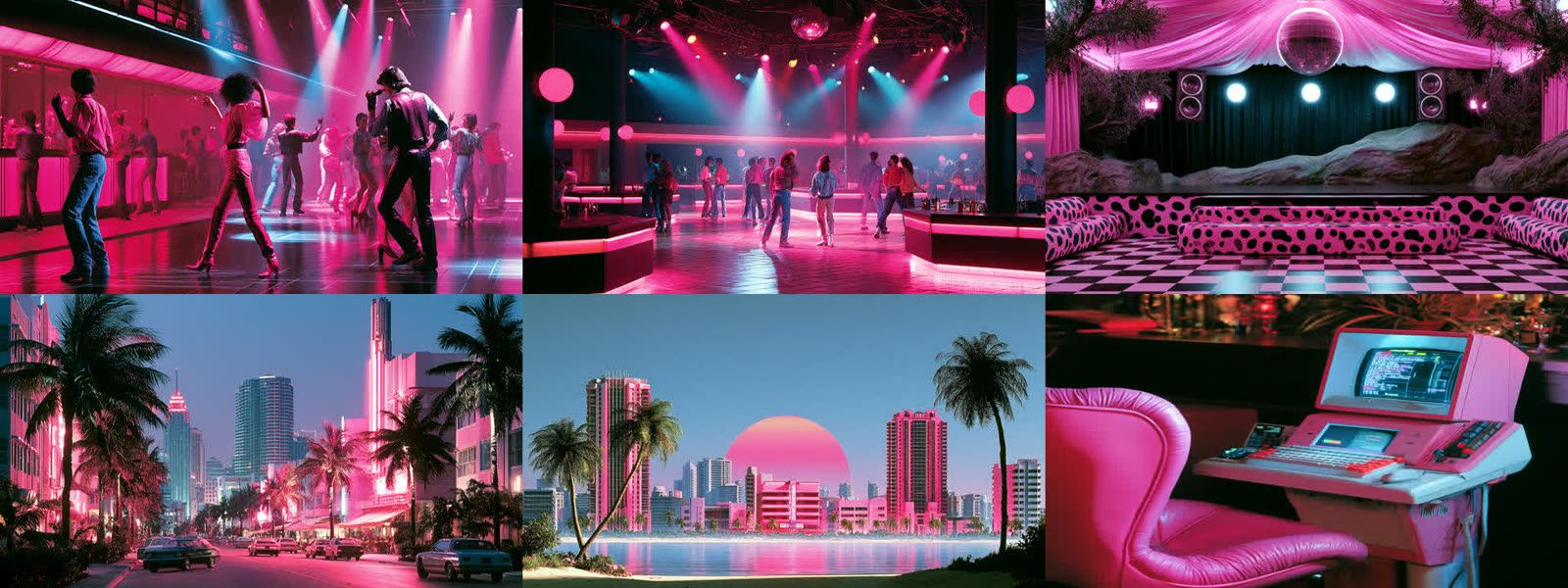
- A mood board for the desired style (god I love 80s retro)
Tools
I gave Opus access to the following via API:
- Image Generation: GPT Image 2 on high quality ($18 for 75 images)
- Video Generation: MiniMax H3 running on RunPod ($22 for 73 clips)
How Does Opus 5.5 Make These So Good?
The Workflow
Humans creating AI video follow a standard workflow:

Opus 5.5 follows this same process, with the vast majority of its ~3 hour runtime spent on video generation and editing. You can visualize its workflow with this timeline of tool calls:

By far the most important part of its process is “visual review”, where Opus builds an understanding of the video’s visual content.
Visual Review
Visual review is called whenever Opus 5.5 needs to understand the visual content of the video, in service of one of our visual goals for the video (e.g. dancing on beat). Each visual review has two steps:
- Image Render: Render an image with information from the video.
- It could be a single frame, or multiple frames.
- It could be the raw frame, or annotated with grid lines, timestamps, or other info.
- Inference: The rendered image is passed to Opus with a question, e.g. “Is the type covering a face?”
Opus 5.5 has a different image strategy for each visual goal:
| Goal | Image Render | Inference Question |
|---|---|---|
| Consistent cast, place, look | Labeled contact sheet | Which candidate, take or fix is better |
| Video follows the story | Timestamped snaps | Problems in a cut over time |
| Clean takes | Clip review sheet | Did H3 keep the cast, place, and action? |
| A polished final frame | Full-resolution still | Fine detail: type, faces, glow |
| Readable type, no flicker | Detail crop | Lettering, flicker between frames |
| Placement, on-beat dancing | Coordinate grid | Pixel positions; movement against beats |
| Match the mood board style | Other | Mood board, look prototypes, one keyframe |
Visual review enables error correction at several stages of the workflow:
- Reject keyframes. One keyframe had lost the AI next to Vera. Opus made it again with a continuity reference.
- Reject clips. Opus rejected a take with a ghost double. It swapped 4 dance takes to their second seed.
- Trim clips. When dancers ran into the lens, Opus used only the first part of the clip.
- Move action onto the beat. When an action happened late in a clip, Opus moved the shot so the action lands on a downbeat.
- Fix the look. Opus checked changes to the paint shader on rendered stills.
- Review the cut. Opus reviewed four full renders as film strips and fixed what it found.
Visual Review Examples
Example 1: Character Consistency
Goal: keep the cast and the look the same in every shot.
Image Render: a cross-shot snapshot sheet. Opus rendered 8 stills from different shots and tiled them with timestamps.
Labeled contact sheetShow imageHide image
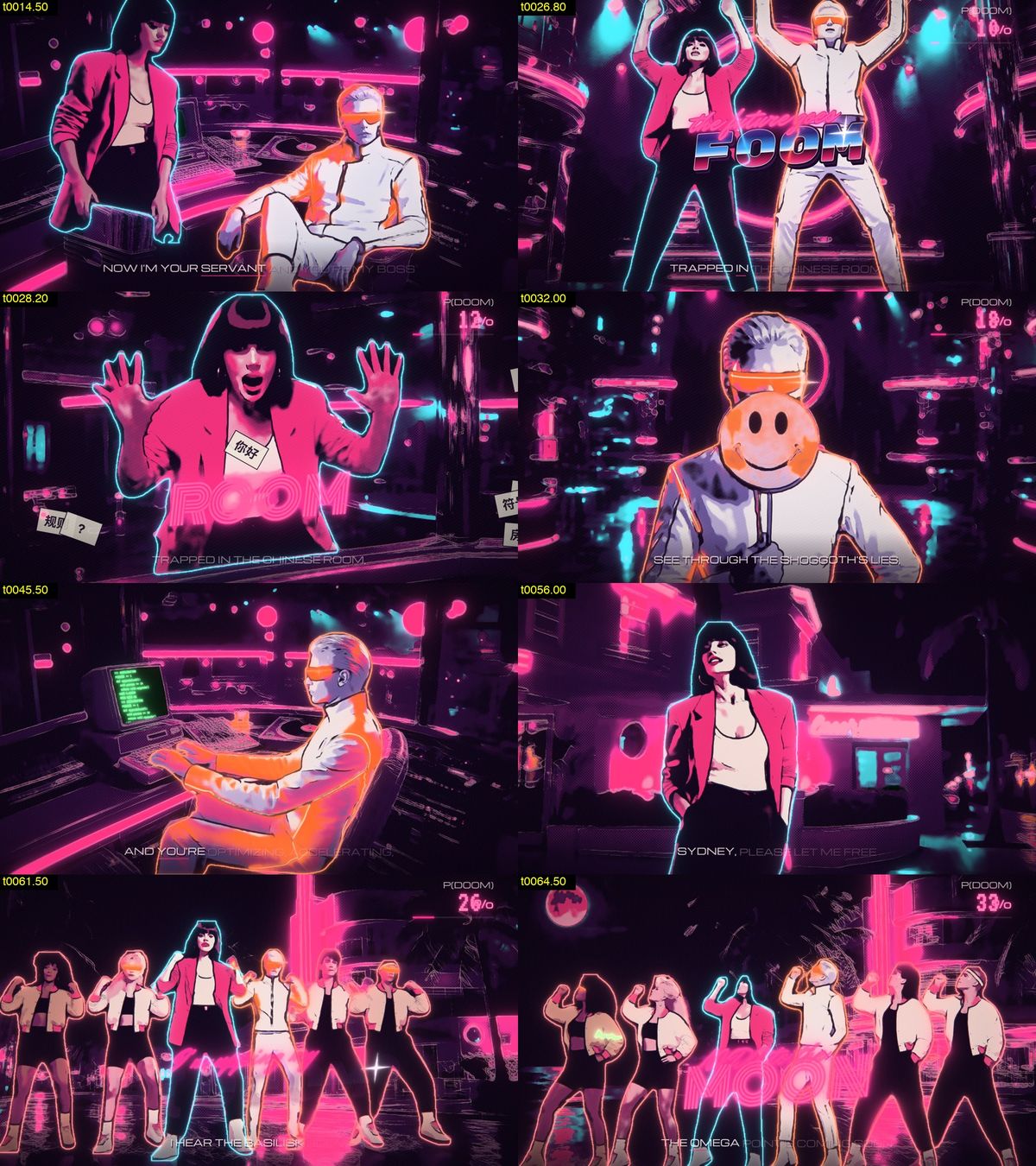
Inference question: Do the cast and the look stay the same across booth, floor, street, close and wide shots?
Visual reasoning:
Consistency across shots is solid, but I found three issues to fix: the AI’s suit is turning fully orange instead of just its seams/visor, the neon hero text reads as pink mush, and the crew’s visors are oversized.
Result: Opus tightened the orange detection, redrew the neon type and made the visors smaller. It approved the next sheet.
Example 2: Rejecting a Take
Goal: use only clean takes for the climax.
Image Render: a clip review sheet. Opus tiled 8 frames from each of the two takes, labeled with take and frame number.
Clip review sheetShow imageHide image
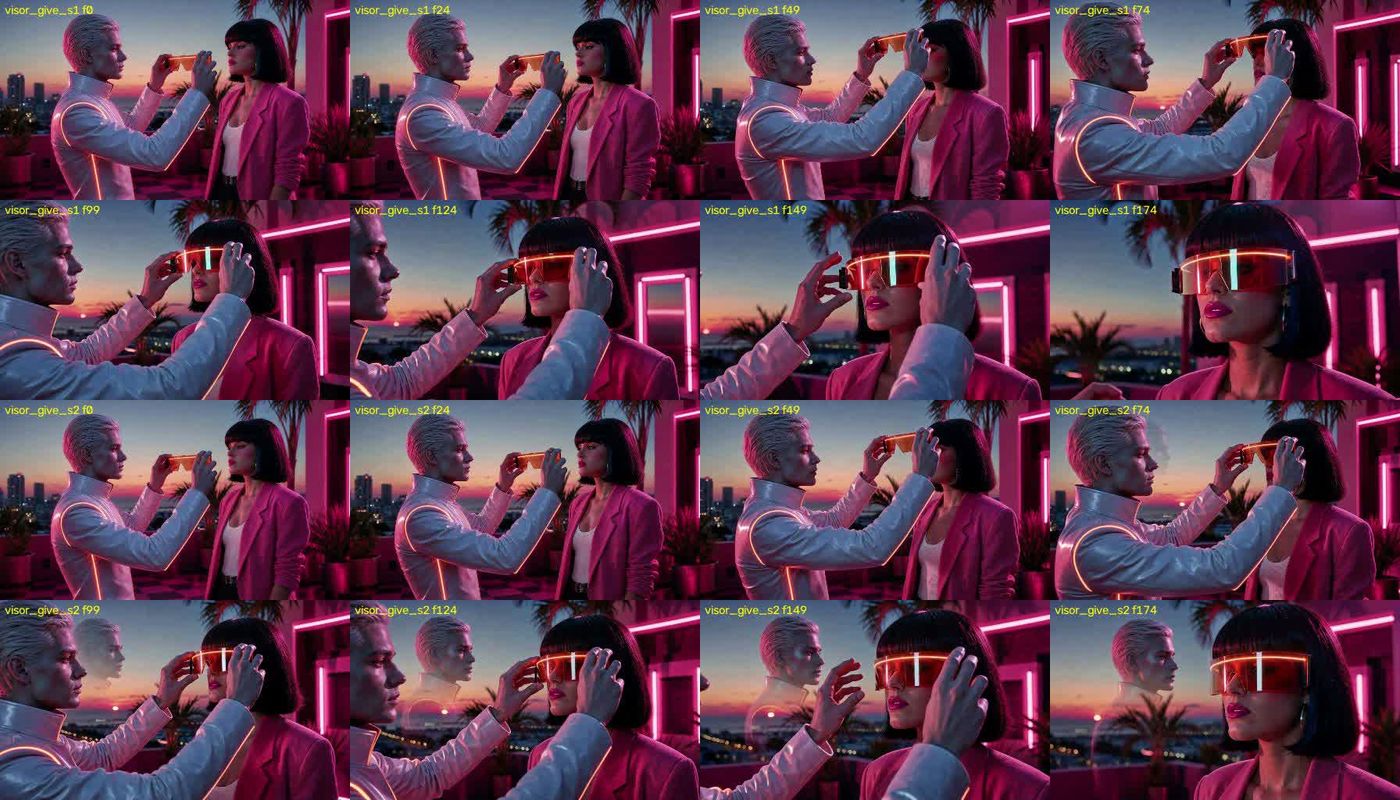
Inference question: Which of the two takes is clean?
Visual reasoning:
visor_give_s2 has a ghostly double of the android, so seed 1 stays.
Result: Opus kept the first take.
Example 3: Locating the Screen
Goal: draw a face on the club computer’s screen for the line “I see sparks of AGI in your eyes”.
Image Render: a coordinate grid overlay. Opus drew a labeled 50 px grid on the first and last frames of the clip.
Coordinate gridShow imageHide image
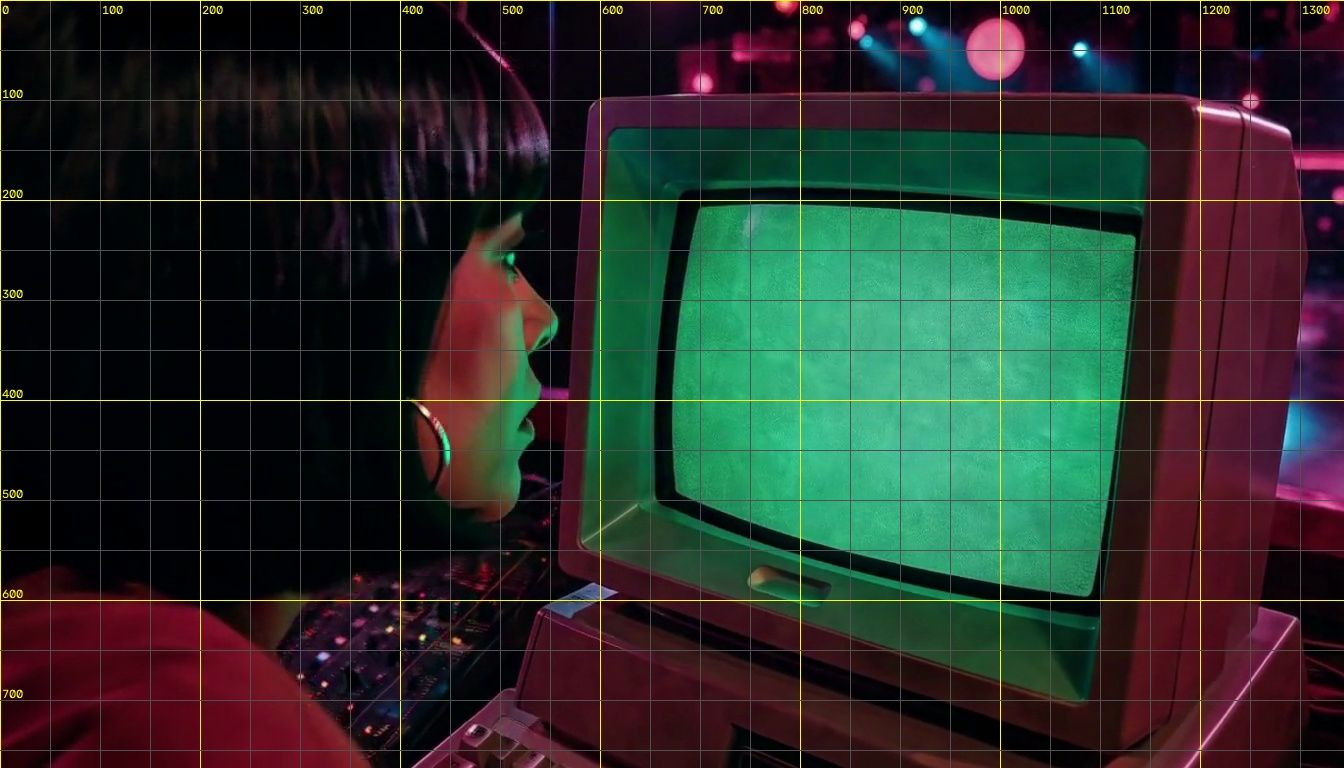
Inference question: Where are the exact corners of the CRT screen?
Visual reasoning:
Since H3’s camera push means a fixed quad won’t work, I’ll track the green CRT screen automatically per frame by detecting its saturated color, extracting its contour and corners, storing them in the pack, and letting the JS render screen content into that quad.
Result: Opus added screen tracking. The first render did not show the content. After one more fix, the screen showed a face with starburst eyes.
Example 4: Reviewing the Cut
Goal: find problems in the first rough cut.
Image Render: a timestamped film strip. Opus sampled the cut at 3 frames per second and tiled the frames.
Timestamped film stripShow imageHide image
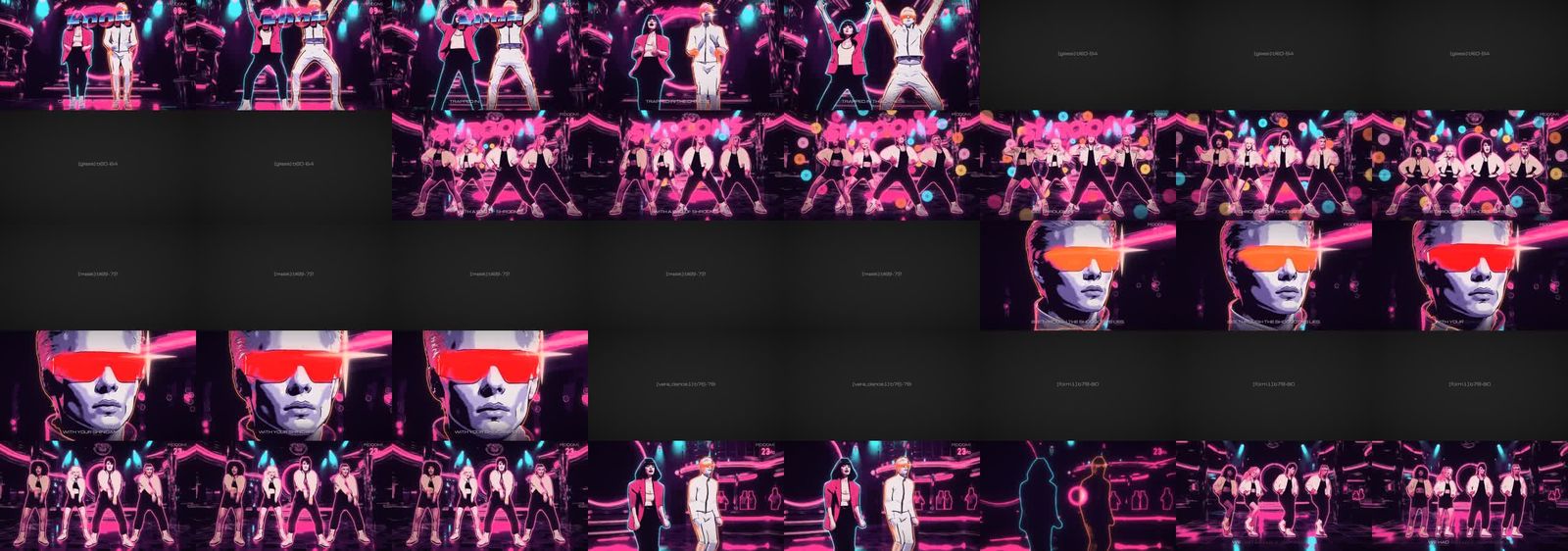
Inference question: What is wrong in the first 40 seconds of the rough cut?
Visual reasoning:
I found two bugs in the 0–40s cut — mask leakage on the loss-curve insert and a false visor glint triggered by hand poses — plus a layout issue where “FOOM” overlaps dancers’ heads, which I’ll fix by auto-placing hero words in face-free bands using pose data.
Result: Opus fixed the two bugs and moved the words away from faces. The next check showed FOOM clear of faces.
Conclusion
Opus 5.5 demonstrates a high level of visual reasoning ability. It is able to arrange and annotate inputs so that it can effectively use visual reasoning to address high-level objectives (e.g. character consistency, dancing on beat). This allows Opus to build an understanding of visual content. It uses that understanding to correct errors at multiple stages of the video creation process (e.g. accept/reject a reference, clip out an undesirable artifact). All of this together leads to high-quality video outputs for users, and a banger X timeline for me.